
About TextPhoto
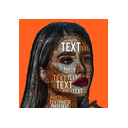
TextPhoto is an AI-powered tool that transforms text, such as quotes, lyrics, or personal messages, into visually appealing photos. Users can customize the stylistic elements to create unique images, simplifying the process of generating social media content or personalized visual messages without needing graphic design skills.
Who It's For
- •Social media managers and influencers.
- •Content creators and bloggers.
- •Individuals who want to create personalized visual messages.
- •Small business owners looking for quick graphic design solutions.
How It Works
- 1Users input their desired text into the TextPhoto platform.
- 2The AI analyzes the text and generates a variety of visual concepts.
- 3Users can select from different styles, fonts, and backgrounds to customize the generated photo.
- 4The final image is then rendered and available for download.
How to Use TextPhoto
- 1Navigate to the TextPhoto website.
- 2Type or paste the text you want to convert into the provided input field.
- 3Choose a text style from the available options (e.g., Simple, Elegant, Retro, Modern).
- 4Select a background style or upload your own background image.
- 5Preview the generated photo and make any necessary adjustments.
- 6Download the final image to your device.
Key Features
- •Text-to-image conversion.
- •Customizable text styles (e.g., Simple, Elegant, Retro, Modern).
- •Variety of background options.
- •AI-powered visual generation.
- •Easy download of generated images.
Use Cases
- •Creating engaging social media posts with quotes or announcements.
- •Designing personalized greeting cards or invitations.
- •Generating visual content for blogs or websites.
- •Making visual reminders or inspirations from personal texts.
Pros & Cons
Advantages
- •Simplifies the creation of visually appealing text-based images.
- •Offers a variety of customizable styles and backgrounds.
- •Does not require graphic design skills.
- •Efficient for generating content for social media and personal use.
Disadvantages
- •Limited in advanced image editing capabilities compared to dedicated graphic design software.
- •May not offer the same level of unique artistic output as human designers.
- •Reliance on pre-defined styles may limit highly specific creative control.
Alternatives
- Canva
- Adobe Express
- QuillBot (for text rephrasing before image generation)
Related Tools
View All Tools
BlueWillow
Free AI art generator for stunning images and logos.

Icons8 AI Background Remover
AI tool that automatically removes backgrounds from images with a single click.

AirBrush AI Headshot Generator
AI photo editor for creating stunning images rapidly.

Ameela
AI-powered logo design tool for startups creating professional logos instantly.

AppIcons AI
AI-powered custom app icon and logo generation.

Architect Render
AI-powered tool for rendering architectural designs in various styles.
Reviews for TextPhoto
Based on 0 reviews
Rating Distribution
No Reviews Yet
Be the first to share your experience with TextPhoto!
Frequently Asked Questions
What is TextPhoto?
TextPhoto is an AI-powered tool that transforms text, such as quotes, lyrics, or personal messages, into visually appealing photos. Users can customize the stylistic elements to create unique images, simplifying the process of generating social media content or personalized visual messages without needing graphic design skills.
How much does TextPhoto cost?
TextPhoto is free to use.
Is TextPhoto free?
Yes, TextPhoto offers a free plan you can start with.
What are the best TextPhoto alternatives?
Popular TextPhoto alternatives include Canva, Adobe Express, QuillBot (for text rephrasing before image generation).
What is TextPhoto used for?
TextPhoto is commonly used for Creating engaging social media posts with quotes or announcements., Designing personalized greeting cards or invitations., Generating visual content for blogs or websites..
Information Accuracy
Please note: While we regularly update all tool information including descriptions, features, pricing, and other details, this information may change over time as tools evolve and update their offerings. For the most current and accurate information, we recommend visiting the official website directly. Our goal is to provide you with comprehensive and up-to-date information to help you make informed decisions.